A shared project
Keep the question, materials and next steps together in The Lyceum, then open the app suited to the next part of the work.
Tristin Hassell · Gathered Commons Press





STUDIO SUITE
Studio Suite is a collection of five connected apps: gather a source, annotate its reasoning, build an argument and write a response, with The Lyceum as the hub that keeps the project in view.
Five apps · Features vary by device

Sources, annotations, arguments and writing, gathered in a shared project.
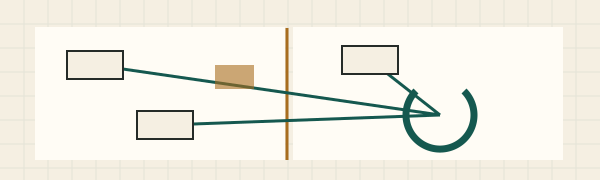
The Lyceum keeps projects and next steps together, and its word processor, Stoa, has Story and Poetry modes for fiction and verse. Use each Studio app on its own, or choose what to carry between them. Features vary by device.
The collection
Each app has a job. Use them together around a shared question, with your sources and reasoning close at hand.
Read & write
Read closely, annotate a passage and develop your draft. Review the reasoning with the analytic essay guide and Essay Check.
Explore the appBuild the argument
Lay out premises and conclusions, connect the evidence and work through an objection with the people you are working with.
Explore the appKeep the project together
Find the shared project, its sources and the next step. Open a demonstration and carry the same question across the Studio apps.
Explore the appRead the world
Read independent publishers, save a story and keep its source beside the questions and response it provokes.
Explore the appTake it into public life
Find representatives and public meetings. Turn researched arguments into comments and letters you review and send yourself.
Explore the appWhat Studio Suite adds
Keep the question, materials and next steps together in The Lyceum, then open the app suited to the next part of the work.
Choose the passage or argument you want to carry forward. Review an import or export before adding it to the next app.
Explore connected reading, annotation, argument and response materials before bringing in your own project.
How they work together
The Lyceum is the project’s starting point. The other apps help you read, examine, discuss and act on the same question.
Open a shared project or choose a built-in demonstration. Keep the question, project materials and next steps together.
Find and save a story. Keep the source attached to the question you want to pursue.
Work through the passage, distinguish claims from reasons, and develop a draft with notes and evidence.
Reconstruct premises and conclusions, examine an objection and revise the reasoning with your group.
Connect the issue to public decisions, representatives and meetings. Review a letter or comment before sending it yourself.
You review the material you carry between apps. Shared project files and reviewed imports or exports support the handoffs; private notes and credentials do not automatically synchronize.
Inside Academus
The analytic essay guide helps you frame a question, state a thesis, reconstruct a position and answer an objection. Essay Check marks possible gaps for you to consider.
Accept a private revision note, reject the suggestion or write a replacement passage. Your earlier wording stays in History.
Explore the writing desk →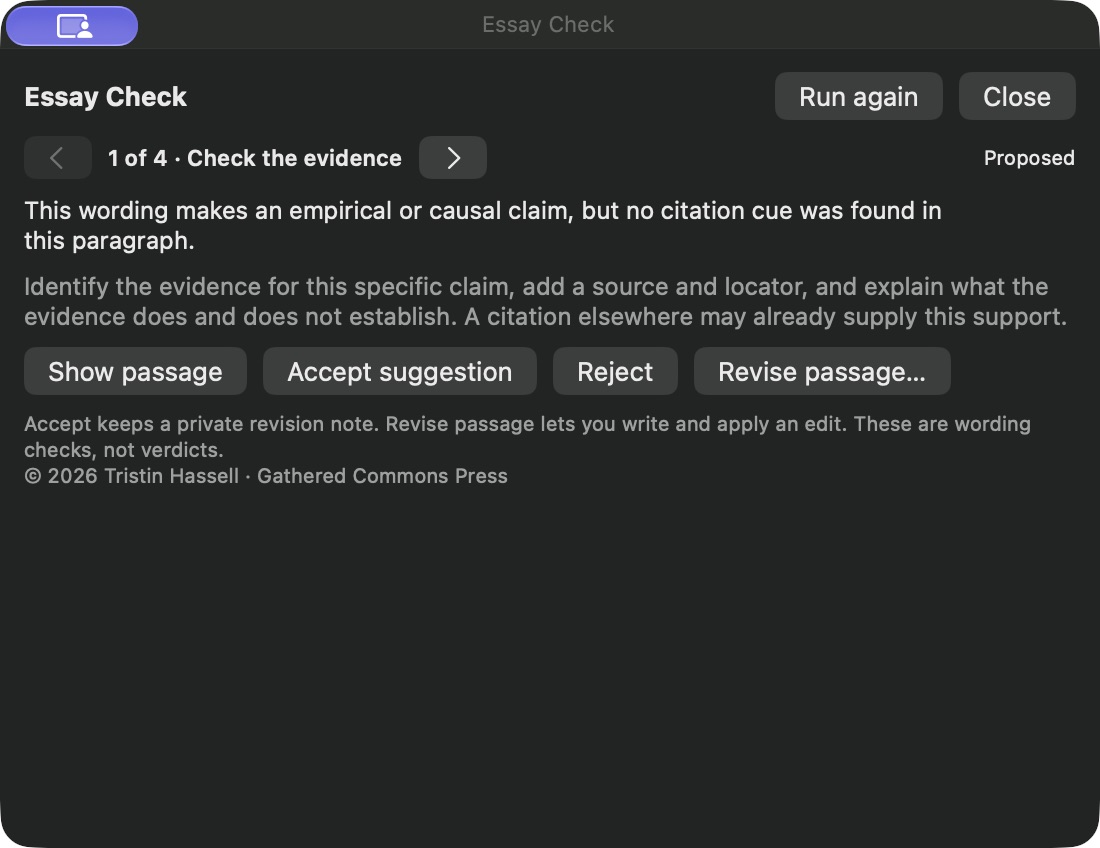
Essay Check uses local wording and context cues. It does not verify sources or determine whether a conclusion is true. This check sends no essay text to a service.
Open a shared project
Eight built-in projects let you explore the same issue across the apps. Start with data centers, abolition or surveillance, then follow the source through annotation, argument building and a written response.
Public costs, land, energy and the claims made for private expansion.
Safety beyond policing and imprisonment, grounded in care and collective provision.
Chokepoints, enshittification, reverse centaurs and the marketing of AI hype.
Flock, license-plate readers and camera networks: who watches, who is watched and who can refuse.
Conservatism, hierarchy and the defense of threatened power.
Colonialism, liberation and the struggle over who gets to be human.
Capitalist realism and the difficulty of imagining a different social order.
Class, property and collective power in The Communist Manifesto.
The abolition project asks how to build safety beyond police and prisons; the surveillance project challenges the normalization of tracking. Reconstructing an opposing argument helps expose its assumptions and answer its strongest objection. It does not require abandoning a political commitment.
Practice cases are fictional where marked. For real correspondence, check the evidence and the recipient’s authority before sending.
Each student works on their own Mac, and the built-in demonstrations give a class a common starting point. There are no student accounts, and nothing a student writes is sent to Gathered Commons Press. Ask about using them with a class or a department.
Find your edition
Tools differ by device, and each app’s page says what yours has.
None of the five is released yet. Each app’s page says which devices it is being tested on.
Studio access includes all five apps. Each app’s page lists its devices and requirements.
Open your private Studio collection →© 2026 Tristin Hassell · Published by Gathered Commons Press
Software by Tristin Hassell. Published by Gathered Commons Press LLC.