Android
Android 15
Keep arguments and discussion notes together, with a session timer and password-protected backups.
Connected replies are not in the Android edition. Transcripts are typed or pasted.

Ethics, logic and discussion · A philosopher’s tool · by Tristin Hassell
First claim to spoken reply
For students, teachers and ethics-bowl coaches working on an argument and the next spoken response.
A discussion can move on before anyone has examined the assumption behind a claim. Dialectic keeps the case, reasons, objections and rehearsal together, so you can return to what needs work. It supports human judgment without deciding the moral question for you.
iPhone · iPad · Mac · Windows · Linux · Android
Not released yet. In testing on iPhone, iPad, Mac, Windows, Linux and Android. The Mac edition is signed and notarized by Apple for installing outside the App Store. No store carries it, and this site has no download.
An app in its own right. Part of Studio Suite when you need it.
Build an argument map, connect evidence, examine objections and rehearse a response. You can create and study a case without the other Studio Suite apps.
Work through the reasoning behind a Studio project. Bring selected source material and a reviewed argument into Dialectic, then carry the conclusions back to your writing in Academus.
Tools differ by device, and speech transcription is on the Mac only. You review the material carried between apps; private notes and credentials do not automatically synchronize.
Explore the other Studio Suite apps
Inside Dialectic
Example screens show particular editions. Features and layouts differ by device.
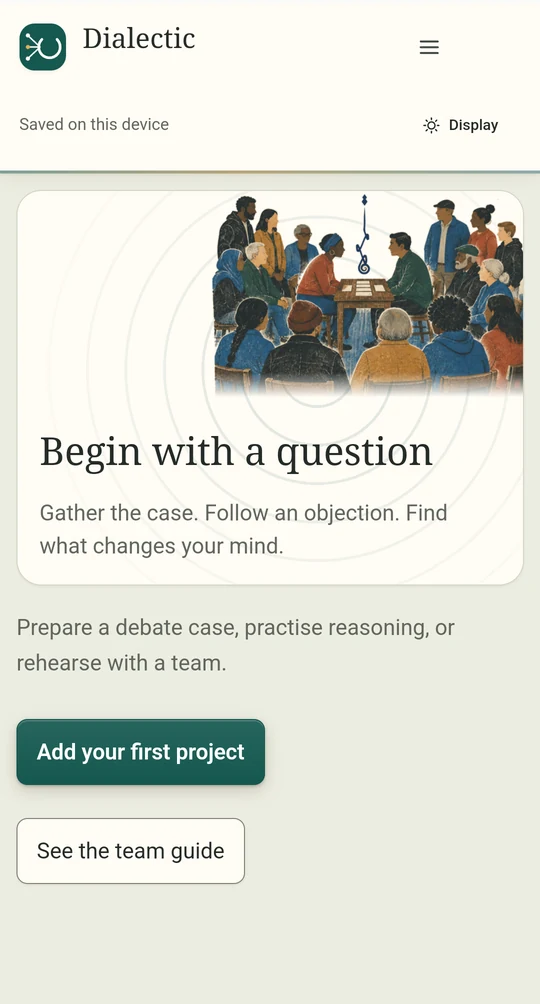
Dialectic on Android: the home screen before the first project is added.
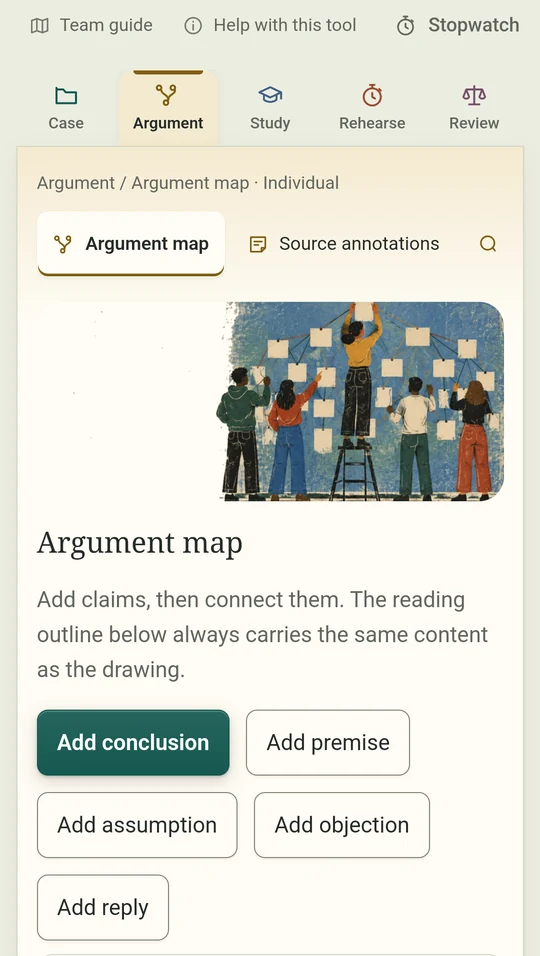
Android argument map: add a conclusion, premises, assumptions, objections and replies.
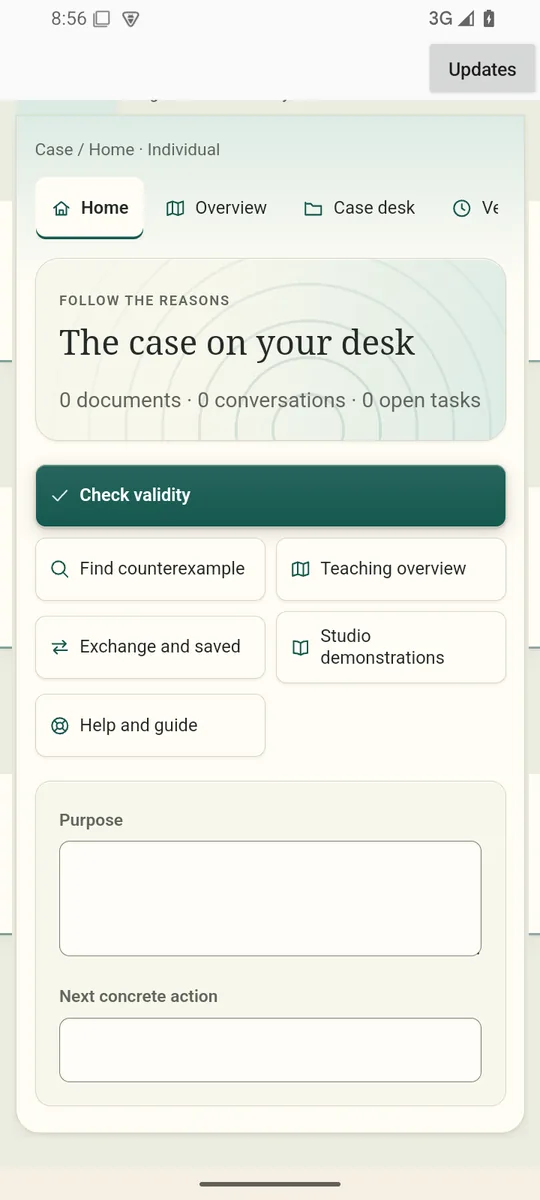
Android case desk with blank boxes for the case’s purpose and the next concrete action.
A first session in the Mac edition
Write the position you want to examine and the question the group needs to address.
Map the claim, its reasons and an objection. Attach evidence and note what it can and cannot establish.
Plan the next speaking turn, use a timed rehearsal and record the feedback you want to carry into the next attempt.
What you leave with
A case with a visible argument and a next step for practice.
Android 15
Keep arguments and discussion notes together, with a session timer and password-protected backups.
Connected replies are not in the Android edition. Transcripts are typed or pasted.
64-bit Windows PC
Organize arguments and discussion notes, and time a working session.
Transcripts are typed or pasted, and it does not connect to a cloud model.
| Device | What it needs |
|---|---|
| Mac | Case, argument, study and rehearsal tools, with optional supported transcription. Apple silicon with macOS 14 or later. |
| iPhone and iPad | Cases, argument maps with labelled relations, truth tables, a proof checker, a rehearsal timer and written feedback. Type or paste transcripts; it does not record audio, and there are no team accounts. |
| Linux | It does not yet have every tool in the Mac edition. |
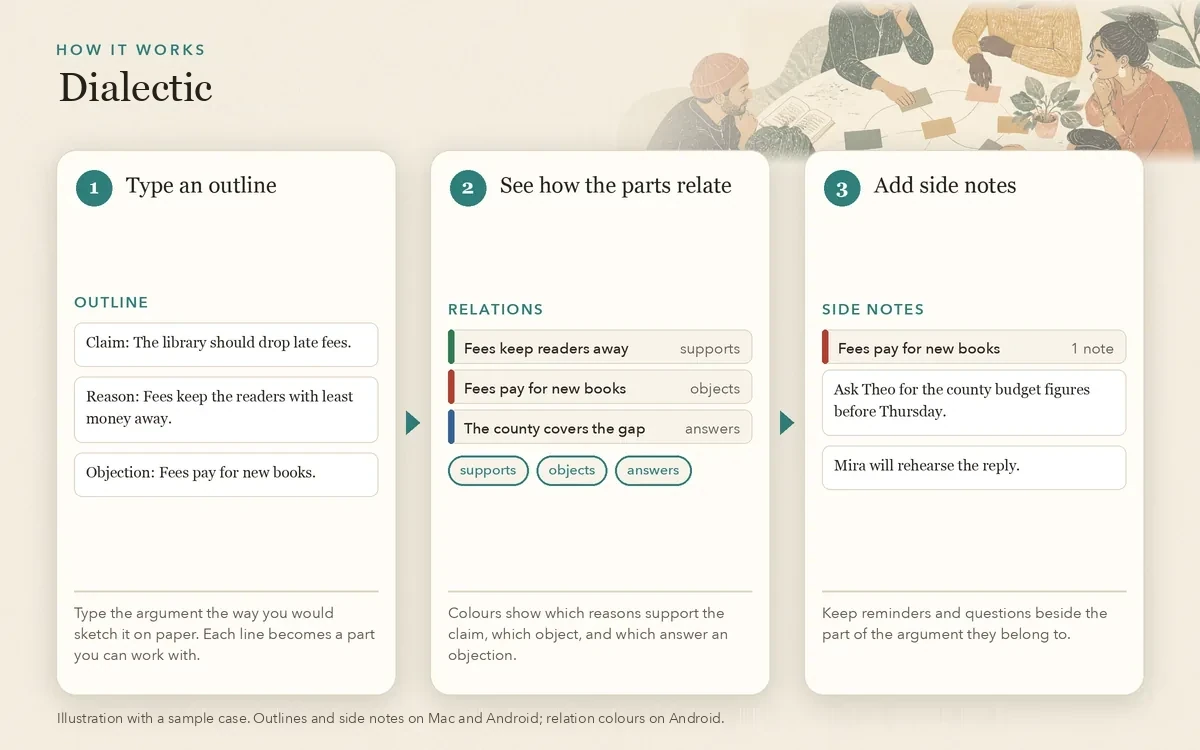
Map claims, assumptions, objections and replies. Attach evidence to a claim and record both what it supports and what it cannot establish. Keep questions and reminders that are not claims in Side notes beside the map.
Type the argument as an indented outline: a line at the left edge is the conclusion, and + reasons, * assumptions, - objections and > replies sit under it. Add it, and the claims and connections appear on the map.
Reconstruct a strong opposing position, keep concessions and test a principle against a counterexample. Compare alternatives through six moral lenses without an automatic verdict.
Look up definitions and notation, build truth tables and check supported forward-inference proof steps. Explore knowledge, evidence, uncertainty and forms of inference.
Plan speaking turns, customize a classroom practice sequence and use a timed rehearsal. Organize a typed or pasted transcript by speaker, claim, reason, objection or reply; on Mac, optional on-device transcription helps prepare the text for your review.
Attach comments to the work, keep private coaching apart from student-visible feedback, and preserve snapshots. Review a student packet before exporting it.
People who have to argue with power rarely get to do it from a podium. A tenant at a council meeting, a student at an ethics bowl, a worker in a hearing: each has a few minutes and an audience that has heard it all before. Dialectic is for the preparation. It puts the claim, the evidence and the strongest objection where everyone working on the case can see them, then gives you room to say the answer out loud before it counts.
The Mac edition has the full set of 24 tools and optional on-device transcription. The iPhone, iPad, Windows and Android editions offer a focused set of case, argument, study, rehearsal and review tools, use typed or pasted transcripts and do not connect to agents. The Linux edition does not yet have every Mac tool.
Dialectic was formerly Reason Circle; an early copy may still show that name, and saved work stays where it was.
Start in Case, make the reasoning visible in Argument, examine its foundations in Study, try it aloud in Rehearse, and return to what changed in Review. On Mac, all 24 tools remain searchable from All tools. The current case and your Individual, Team or Referee role stay visible as you move.
Read an argument as a map or an outline, or type an outline and add it to the map. Follow the phase labels beside the rehearsal clock, read feedback beside a proof line, and review the clearly labeled student or private coach packet before sharing it. On Android, every relation on the map has its own colour and keeps its label, so colour is never the only cue.
Individual, Team and Referee are ways of working on one device, not separate accounts. The rehearsal profile is a teaching aid; check the current event’s rules and permitted resources with its organizers. Human judgment stays human: the app does not choose a debate winner, certify evidence or settle a moral question.
Truth tables cover classical propositional logic. The proof checker accepts a stated set of forward-inference rules; it is not a complete natural-deduction or predicate-logic system, and an unfinished proof is not a finding of invalidity.
Build a classroom argument in Argument Workshop, assign symbols to its statements and examine the truth assignments. Eight guided lessons show the reasoning as Python that students can read; the code is shown for study, and neither app executes it. Coaches can write a drill with a hint, feedback and success criteria. The same workshop opens in Academus, and you can move an argument between the apps as a file you review first. Projects, private notes and credentials do not synchronize automatically. Explore Academus →
Move from selected source passages to premises, conclusions, objections and an argument map. Keep the original quotation beside your interpretation, then revise the reasoning. Shared demonstrations give a class a common starting point.
Tools differ by device; the edition details on this page say what yours has. Read about the shared demonstrations →
This overview describes the Apple edition. Read the full policy for Android and Windows details.
Email hello@gatheredcommonspress.com. I answer within three business days.
Software by Tristin Hassell. Published by Gathered Commons Press LLC.